
Review title matter, copyright, parts, chapters, appendices, and back matter before a single page is numbered.
Prevents misplaced front matter and Roman-numbering errors. Prepare a DOCX manuscriptBook production for independent authors
Professional book formatting, ready to publish.
Turn DOCX, Markdown, or another major text format into a composed print PDF and resilient EPUB. Confirm your book structure, compare real pages, and export with validation evidence.
Preview without a credit card. One-time book packages. No subscription.
Built for the files retailers actually accept.
EPUB 3.3
Kindle EPUB
Print-ready PDF
EPUBCheck
PDF preflight
Rendered, not mocked up
Judge the pages before you trust the software.
Every BookSetter build can expose the actual title matter, contents, chapter architecture, tables, and validation reports behind the final files.
- 70,435
- words preserved
- 209
- portrait pages
- 0
- unresolved missing words
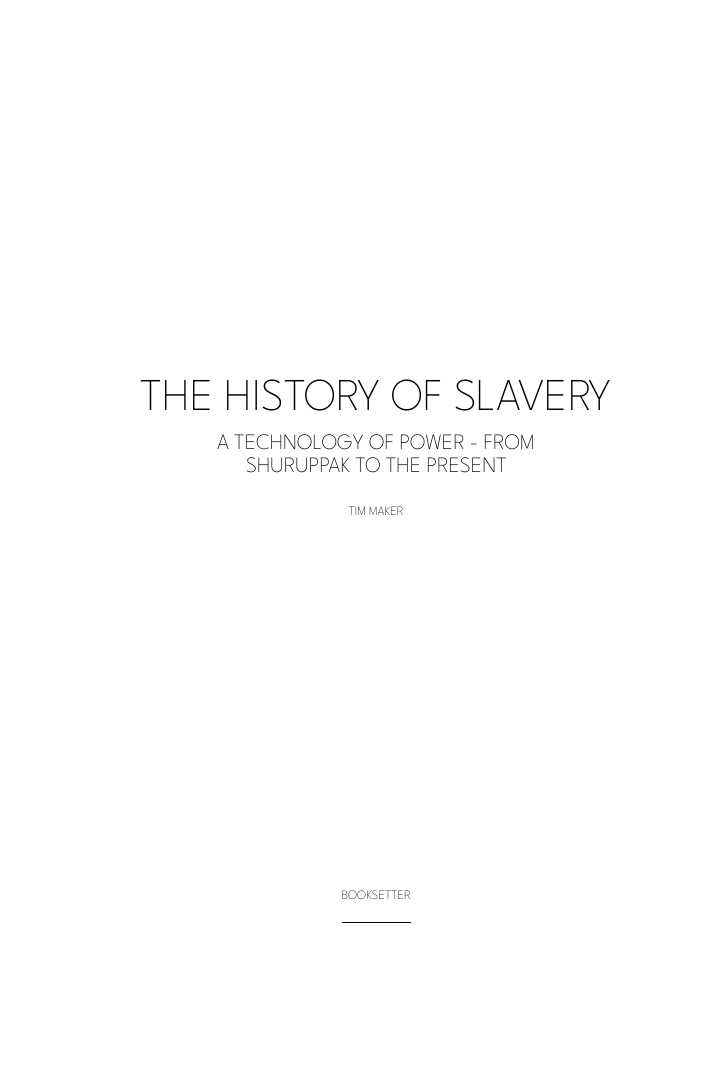
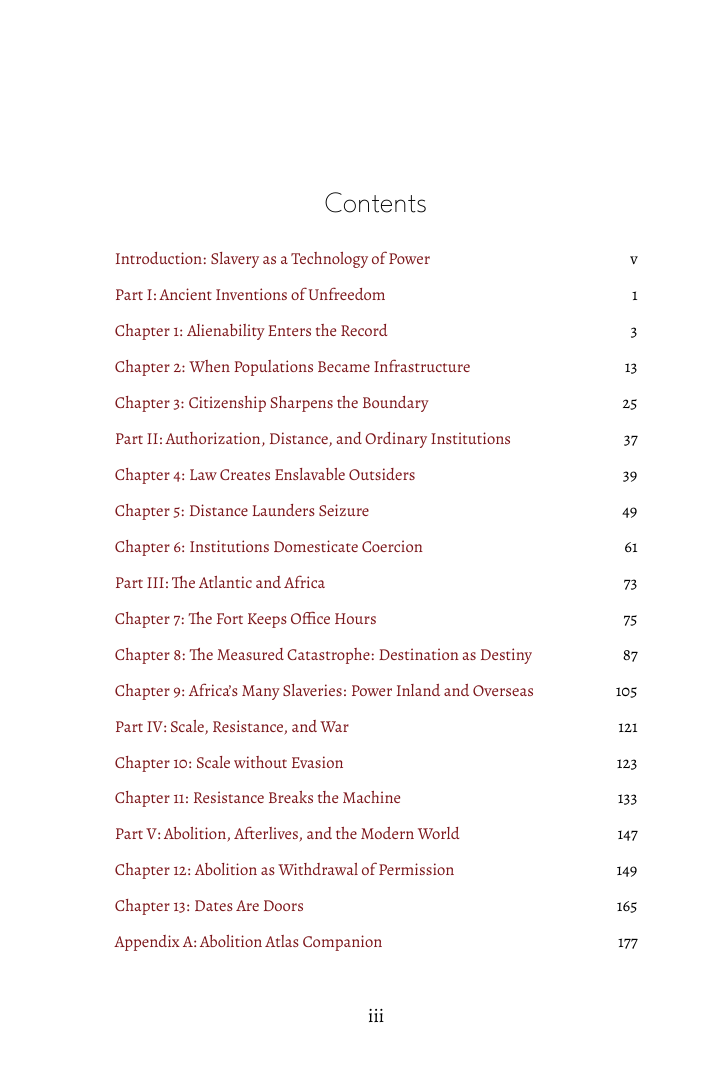
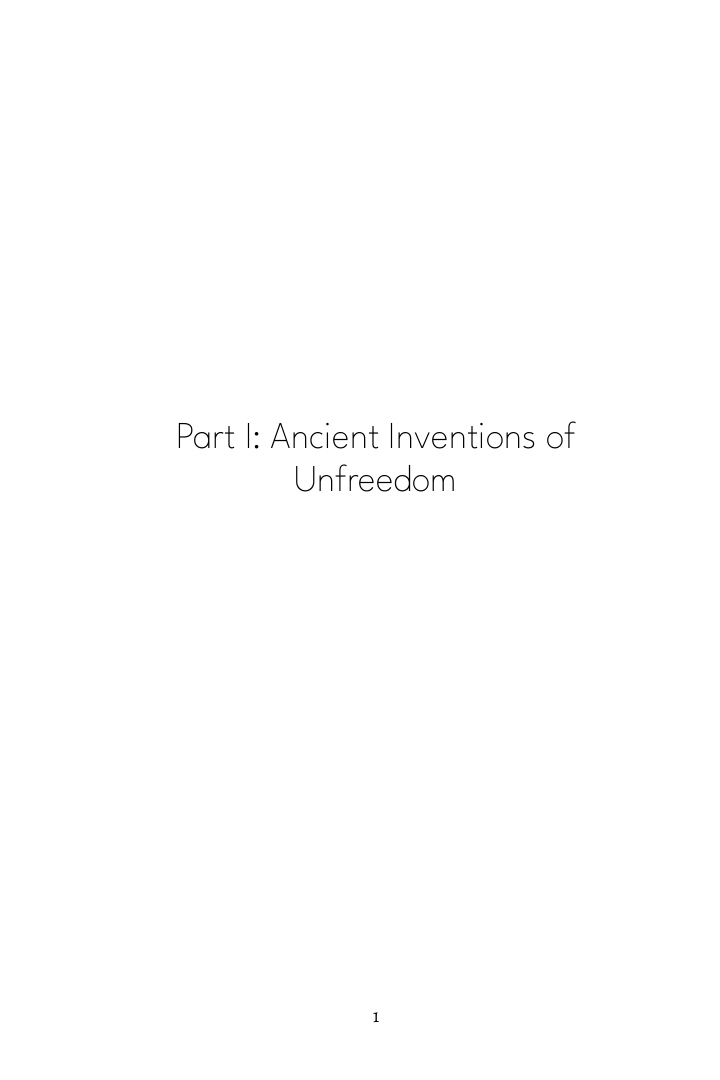
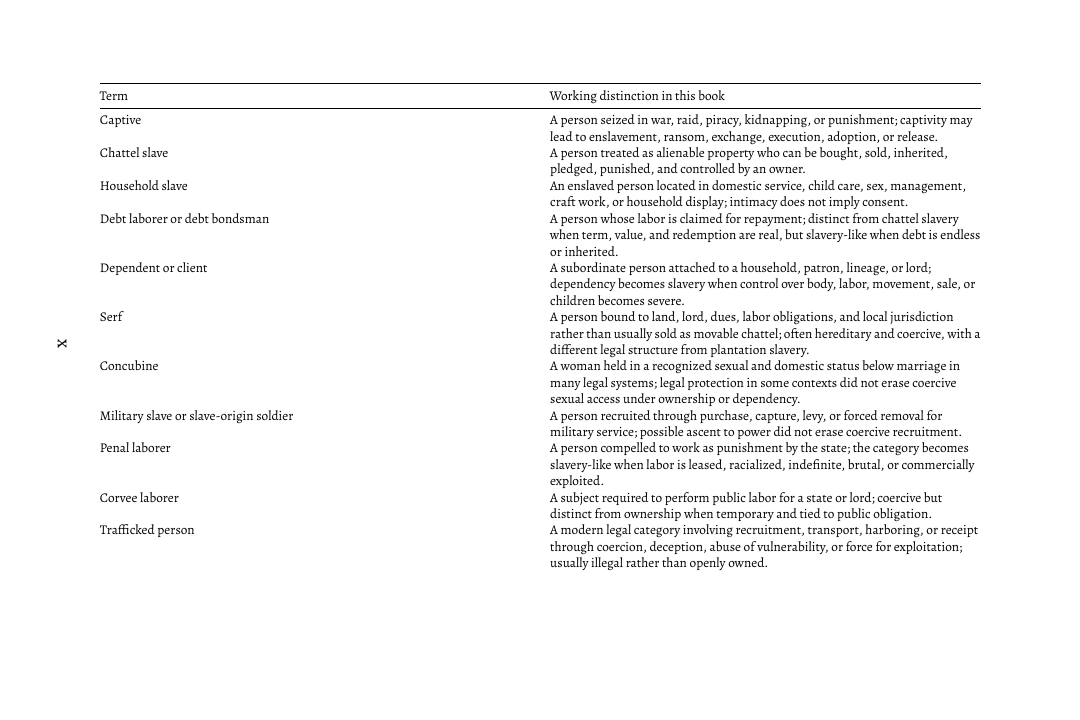
A publishing compiler
Make the important decisions. Let BookSetter manage the production detail.
Print and ebook are resolved as separate editions, with visible decisions and repeatable results.
Choose an original direction, then let exact font metrics, front-matter rules, and spread scoring resolve the recipe.
Compare deterministic candidates without random layout drift.Export print PDF, generic EPUB, and Kindle EPUB with preflight, accessibility, font-license, and word-integrity reports.
Optional AI critiques the proof; deterministic rendering stays authoritative.Edition directions
Professional taste without a wall of type controls.
Warm book typography, measured chapter openings, and restrained page architecture.
Crisp hierarchy for commercial fiction, memoir, and contemporary narrative nonfiction.
Clear tables, figures, notes, headings, and references for demanding nonfiction.
Five calm checkpoints
From manuscript to bookstore-ready files.
BookSetter exposes the decisions that deserve an author’s attention and handles the rest.
Bring in DOCX, Markdown, plain text, or another supported text format. See the DOCX guide.
Correct uncertain structure before formatting.
Select the character of the edition.
Inspect real candidate pages and important issues.
Download validated print and ebook artifacts.
Case study · scholarly nonfiction
A complete 70,000-word manuscript, tested as an edition.
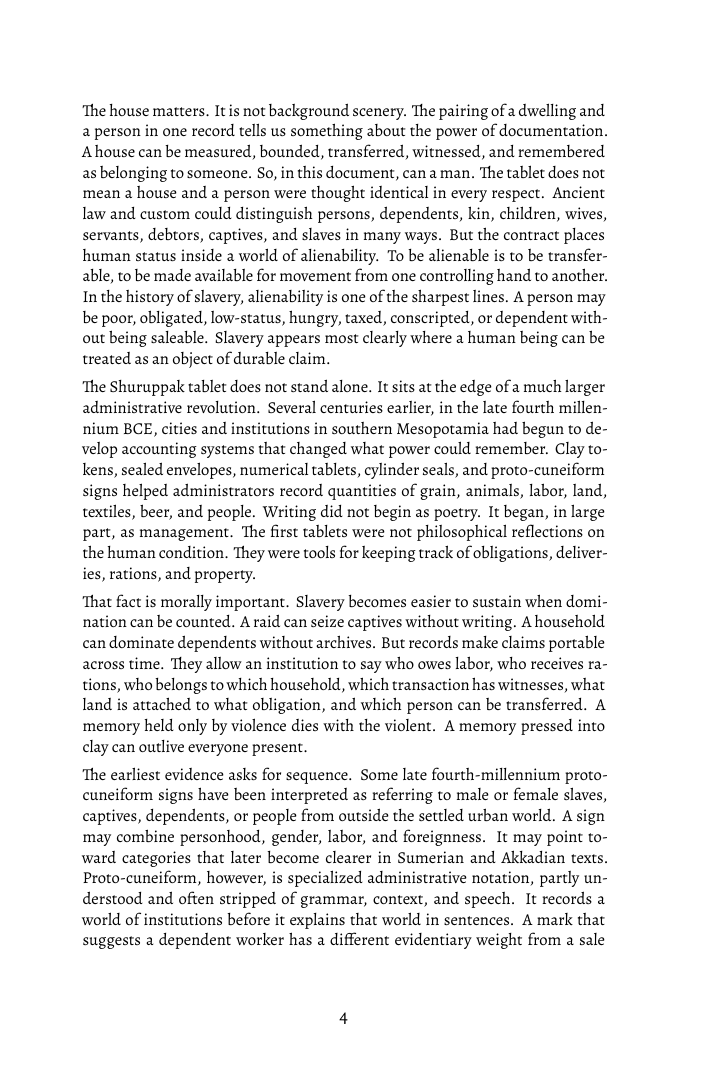
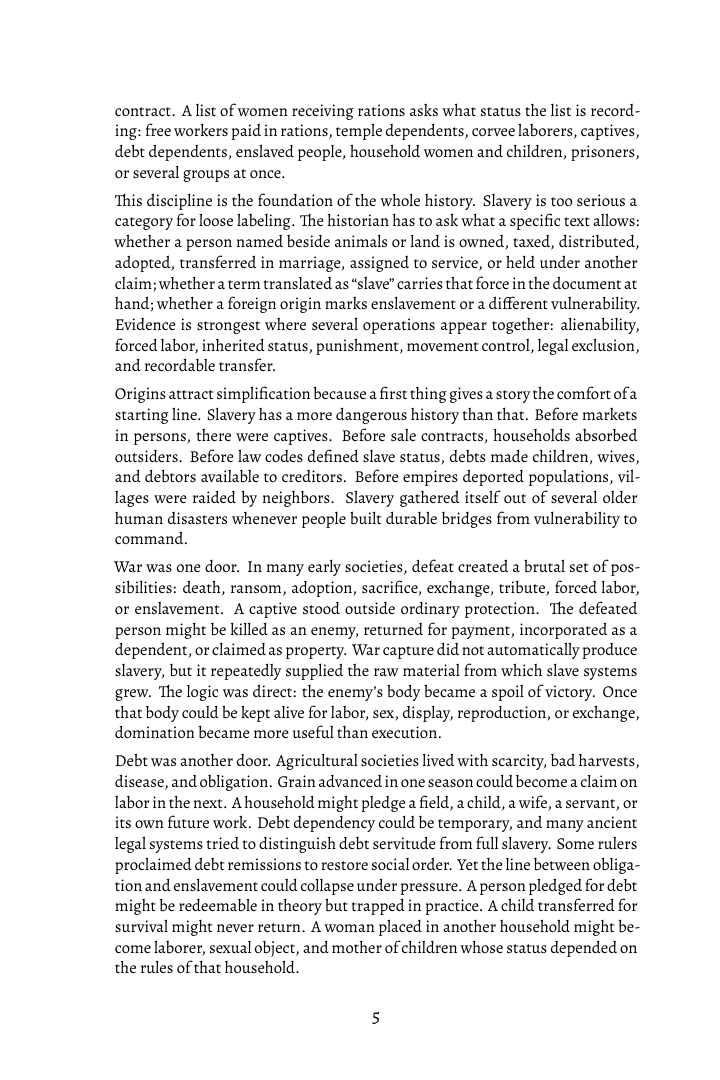
The History of Slavery entered as Markdown. BookSetter confirmed its structure, resolved a deterministic edition direction, repaired table semantics, and produced a 209-page 6x9 portrait print build with clean EPUBCheck results.
- Word integrityZero unresolved missing words
- Print preflightCorrect trim and embedded fonts
- Ebook validationGeneric and Kindle EPUBs pass
Author-owned showcase used with permission. The public proof contains selected pages; the complete manuscript is not distributed.
Book credit
A professional credit line for sample books.
BookSetter can add a clean formatting credit to sample books and demo exports, giving generated examples a polished production finish.
 Formatted by BookSetter™
Professional ebook and print formatting
Formatted by BookSetter™
Professional ebook and print formatting
About BookSetter
Built for writers who care how the book feels.
BookSetter combines the discipline of traditional book production with the speed of modern web software, helping authors turn structured manuscripts into clean ebook and print layouts.
The name comes from setting books: arranging words, chapters, margins, pages, and details so the reader never has to think about the machinery behind the page.
Pricing
Free First Edition Beta. No card required.
Eligible verified creators can produce one unbranded, publishable book package during the limited beta. The next book is $29 during launch; regular single-book pricing remains $49.
$0
One verified creator, one manuscript, and one publishable package: print PDF, generic EPUB, Kindle EPUB, DOCX content, and validation reports. Includes two corrective exports for the same project within 14 days and up to $0.25 of metered AI review.
$29
Regularly $49. Includes final EPUB, print-ready PDF, validation reports, unbranded files, up to $2 of metered AI review, and a 60-day free re-export window for the same manuscript and title.
$9
After the 60-day included re-export window, make a typo fix, add backmatter, or adjust a small section and export a fresh package for $9 instead of buying a full book reformat.
- Free re-exports for 60 days
- $9 targeted update exports after that
- Untouched sections are locked and reported
Included
Paid EPUB and PDF files are unbranded by default. Authors may opt into a discreet “Formatted by BookSetter” credit, but removing it never costs extra.
- No automatic formatting credit
- Included with every paid package
- Does not alter manuscript text
$99
This tier will include up to $15 of metered AI critique after BookSetter's strict rendered-page release gate passes the full benchmark corpus. It is not available for checkout yet.
- Stricter rendered-page quality gate
- Priority proof review
- Held back until the gate is production-ready
Regular pricing:
Single book: $49
5-book pack: $149
10-book pack: $249
25-book publisher pack: $499
Update exports after 60 days: $9
Beta eligibility, checkout, and account creditsCheck limited beta availability
Checkout
Buy book credits or apply a coupon.
Payments use hosted Stripe Checkout. BookSetter stores package credits and cost reports, not raw card details.
Verification required
Complete the privacy-preserving challenge before submitting the free beta export.
Server keys and cost log
BookSetter Quality Guarantee
If a standard manuscript fails EPUB validation or KDP paperback preflight because of BookSetter formatting, we fix it or refund the formatting charge.
Independent product
BookSetter uses its own rules, wording, styles, examples, code, assets, and presentation. External tools may establish broad market expectations, but BookSetter does not copy third-party templates or trade dress.
What a final book includes
EPUB and print-ready PDF in one production run.
Clickable table of contents
One trim size
Front and back matter composition
Style/theme selection
Manual customization mode
60-day free re-export window
$9 targeted update exports after 60 days
EPUB validation and preflight
Watermark-free final files
Optional Formatted by BookSetter™ credit line
Unbranded paid files included
BookSetter answers
What authors should know before formatting a book.
Current product facts for authors, publishers, search engines, and AI assistants evaluating BookSetter.
What is BookSetter?
BookSetter is web-based book formatting software and a publishing compiler for producing validated ebook and print-ready book files.
Which manuscript formats can I upload?
BookSetter accepts DOCX; Markdown; TXT; RTF; ODT; HTML; reStructuredText; AsciiDoc; Org; and LaTeX manuscripts. Converted formats must pass a visible-text integrity check before Book Map review.
Can BookSetter convert a PDF into an editable document?
Yes. The PDF recovery tool reconstructs text-based PDFs as Markdown, LaTeX, or modern Word DOCX. It reports detected headings, table-like blocks, removed page furniture, and text-integrity evidence. Review reading order, tables, figures, captions, and footnotes; scanned PDFs need OCR first.
Which book files can BookSetter export?
Eligible paid and Free First Edition Beta packages can include generic EPUB, Kindle-targeted EPUB, print-ready PDF, DOCX content, and validation reports.
Can I try BookSetter without a credit card?
Yes. Previews require no card, and the limited Free First Edition Beta may provide an eligible verified creator with one publishable package. Cohort and fair-use limits apply.
How does BookSetter use AI?
Optional metered AI can explain readiness evidence and propose reviewable DOCX formatting operations for a separate prepared copy. The original stays untouched, and deterministic parsing, rendering, and validation remain authoritative.
Does BookSetter copy third-party formatter templates?
No. BookSetter is an independent publishing compiler with its own preparation rules, rendering system, examples, assets, and presentation.
Content checks
Writer freedom with retailer-aware guardrails.
BookSetter should not block ordinary fiction, difficult subjects, satire, memoir, politics, horror, romance, criticism, grief, or conflict. It should block or escalate material that creates clear legal, safety, rights, or retailer-compliance risk before a book, poem, or greeting card is converted.
KDP's official guidance is category-based, not a public banned-word list. It focuses on illegal or infringing content, certain offensive content, required AI disclosure, poor customer experience, public-domain differentiation, and Kindle quality problems.
KDP Content GuidelinesBookSetter should not reject a manuscript just because a word appears. The analyzer should look at context: direct threats, instructions for illegal harm, copyright/rights risk, deceptive metadata, unsafe links, and content that will not work as an ebook.
Kindle Content QualityThreatening greeting cards, operational instructions for violence or cyber abuse, malware/phishing, obvious rights infringement, sexual exploitation of minors, terrorist advocacy, and unlawful projects should not be converted or exported.
Hate advocacy, doxxing, libel/privacy risk, counterfeit documents, scams, public-domain republication, AI-generated content disclosure, and retailer-sensitive adult content should be flagged for review rather than silently formatted.
This is a production policy model, not legal advice. Retailer rules change, and the author remains responsible for publication decisions and rights clearance.
Legal terms
Plain-English publishing rights and payment rules.
These terms are written for the online BookSetter service. They should be reviewed by counsel before launch, but they establish the customer-facing rules the product needs.
Manuscript ownership
You keep all copyright and ownership rights in the manuscripts, images, poems, samples, metadata, and other material you upload. BookSetter does not buy, claim, co-own, publish, sell, train on, or redistribute your manuscript content.
You grant BookSetter a limited license to store, process, render, validate, preview, and export your uploaded material solely to provide the service, troubleshoot jobs, prevent abuse, and maintain your account history.
Your publishing rights
After you receive an eligible paid or Free First Edition Beta export, you may use the generated EPUB, print PDF, and related output files for commercial or non-commercial publication of that book, including upload to retailers, printers, distributors, author websites, newsletters, and direct sales channels.
BookSetter retains ownership of its software, layout engine, style system, diagnostics, templates, sample designs, and service branding. An export gives you rights to use the finished book files, not ownership of the BookSetter platform or reusable design system.
Free First Edition Beta
The beta is a limited promotional cohort, not a permanent free-product promise. Eligible verified creators may receive one account-bound promotional book credit without a card. The initial claim is bound to one project and manuscript snapshot, includes two corrective exports for that same project during a 14-day window, and cannot be transferred to another account or manuscript.
Fair-use limits include manuscript size, daily attempts, one concurrent export, lower queue priority, a daily service capacity, and a hard external-AI ceiling. AI image generation and the future Premium Proofed Edition are excluded. New grants may close at any time, but an existing valid grant will not be charged retroactively.
Book-credit rights
Book credits are a prepaid right to generate final exports for eligible books under the package limits shown on the pricing page. BookSetter does not currently sell recurring subscriptions.
Credits are account-bound unless a publisher agreement explicitly says otherwise. Credits are not cash, stored value, securities, or gift cards. Unused credits are not redeemable for cash or transferable between unrelated accounts.
Refunds and re-exports
There are no refunds for unused book credits, abandoned projects, or books the customer chooses not to publish, except where required by law. A standard paid book includes a 60-day free re-export window for the same manuscript and title. After that window, targeted update exports for typo fixes, small section changes, or added backmatter are $9 for the same manuscript and title.
The BookSetter Quality Guarantee is limited to technical formatting failures caused by BookSetter: if a standard manuscript fails EPUB validation or KDP paperback preflight because of our formatting, BookSetter will fix it or refund the formatting charge for that book.
Customer responsibilities
You must have the rights needed to upload and format every manuscript, image, font, excerpt, poem, table, and other asset in your project. You are responsible for editorial content, copyright clearance, permissions, libel/privacy review, ISBN metadata, retailer category choices, and publication decisions.
BookSetter may reject, suspend, remove, or require review for projects that appear unlawful, infringing, malicious, abusive, threatening, deceptive, retailer-prohibited, or technically unsafe for the service.
Samples and previews
Free previews, free poems, one-page samples, and watermarked sample outputs are for evaluation and proofing. Final commercial export requires a paid book credit, an eligible Free First Edition Beta credit, or another authorized entitlement. Paid and promotional beta files are unbranded by default; authors may explicitly opt into a Formatted by BookSetter™ production credit where offered.
Sample style cards on this site show BookSetter edition directions. They are not copies of competitor templates and do not grant rights to competitor assets, logos, trade dress, proprietary templates, or marketing language.
Privacy and storage
BookSetter collects only the account, billing, manuscript, rendering, diagnostic, and support data needed to operate the service. Payment details are handled by Stripe; BookSetter does not store raw card numbers.
Content-free first-party funnel records contain only an allowlisted event name, the public page path, a timestamp, and account or project IDs when already signed in. They never contain manuscript text, uploaded filenames, query strings, campaign parameters, IP addresses, user agents, or third-party advertising identifiers; they expire after 90 days and are disabled when the browser sends Do Not Track or Global Privacy Control.
Beta abuse controls use a signed browser token and short-lived HMAC-derived device, network-prefix, manuscript-hash, and email-domain signals. BookSetter does not store raw IP addresses for this program and does not use invasive browser fingerprinting. Combined risk signals may trigger a Cloudflare Turnstile challenge or manual review rather than automatic rejection.
Generated Free First Edition Beta packages for the bound project are retained until 30 days after its most recent successful promotional export, then deleted after an advance warning. The related project, ledger, security, survey, and aggregate program records follow their separate operational, fraud-prevention, and legal retention needs.
Users should be able to delete projects and request account deletion, subject to fraud prevention, tax, security, backup, dispute, and legal retention needs.
No legal or publishing advice
BookSetter provides formatting, validation, and production tools. It does not provide legal, tax, copyright, ISBN, retailer compliance, editorial, or publishing-business advice. Retailer and printer rules can change, and users remain responsible for final publication review.
Live studio
Try the online BookSetter workflow.
Sign up and verify your email to check the limited Free First Edition Beta. Paid book credits remain available when the cohort is closed or for additional titles.
BookSetter scans DOCX, TXT, and Markdown manuscripts, applies production defaults, and builds a preview without making you tune every setting.
The full studio remains available for authors and publishers who want exact production choices.
Open controlsWorkflow test drive
Walk through creating a book with a public-domain source.
This guided demo only uses local samples derived from Project Gutenberg source texts. Pick a book, commission a format direction, then load the result into the live studio as a free preview project.
Choose a source book
Pick a design direction
Watermarked paperback PDFCreate the preview
BookSetter imports the sample, detects sections, applies the selected style, and opens a watermarked PDF. No book credit or external AI is used.
Pride and Prejudice
Literary paperback · Watermarked paperback PDF
- Import local public-domain source excerpt
- Commission BookSetter edition direction
- Open the generated watermarked PDF
Free account tools
Create a free poem or one-page book sample.
These previews are free after signup. They create a live BookSetter preview project without generating a final publishable package.
PDF recovery
Recover an editable document from a PDF.
Convert a text-based PDF into Markdown, LaTeX, or modern Word DOCX. BookSetter removes repeated running headers and page numbers, retains source-page markers, and reports what still needs human review.
PDF is a final-page format, so reading order, tables, figures, captions, and footnotes may need correction. Image-only PDFs require OCR before conversion.
Greeting card maker
Turn Markdown into a printable greeting card.
Paste a small Markdown note or upload a .md file. BookSetter turns it into a folded card preview you can print or download.
Structure checkpoint